Movement
BoatFly
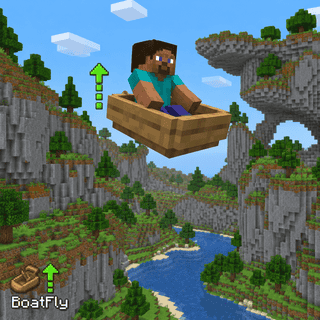
Fly while driving a boat. Look up or down while moving to climb or descend.
Included with Lunar Premium on mobile and every PC plan.


What does BoatFly do?
BoatFly is a movement module in Lunar Proxy for Minecraft Bedrock Edition. Fly while driving a boat. Look up or down while moving to climb or descend. Because Lunar runs as a proxy, BoatFly works on PC, Android, and iOS, and on Xbox, PlayStation, and Switch when the console connects through it. You turn it on from the in-game ClickGUI or with a chat command, and its settings are saved in your configs.
How do I turn on BoatFly?
- 01 Install Lunar on your phone or PC. Free on Google Play and the App Store; PC needs a subscription.
- 02 Connect to a server, Realm, or friend’s world from inside Lunar. Consoles then join through the Friends tab, the LAN list, or direct connect.
- 03 Open the in-game ClickGUI and switch on BoatFly, or type the BoatFly command in chat. Adjust its settings right in the panel.
What can you change in BoatFly?
BoatFly has 3 settings. Each one is adjustable in the ClickGUI, and the defaults below are what a fresh install uses.
| Setting | Type | Default | Range or options |
|---|---|---|---|
NoClip Pass through blocks while driving a boat. | toggle | Off | On or off |
Horizontal Speed | number | 0.5 | 0.1 to 2 in steps of 0.1 |
Vertical Speed | number | 0.3 | 0.1 to 1 in steps of 0.1 |
Which devices does BoatFly work on?
Lunar is a proxy, so BoatFly behaves the same on every device that connects through it.
- PC
- Android
- iOS
- Xbox
- PlayStation
- Switch